

Add Thread to Topic
Details
Add Thread to Topic in the Results widget simplifies campaign measurement and crisis monitoring by making it easy to analyze entire conversation threads, not just individual posts or keyword matches. Instead of manually building topics by copying post URLs one by one, you can now capture multiple posts and their full comment history in a single action. This saves time, reduces effort, and ensures insights reflect the complete conversation surrounding a campaign or emerging issue.
How It Works:
In the Results widget, Standard BETA Layout, select multiple posts related to your campaign or crisis.
Click Add to Topic to include all selected post URLs at once.
Choose to either create a new topic or add the posts to an existing topic.
Talkwalker automatically gathers all comments tied to those posts under the selected topic. Learn more in the Help Center.
Please complete the form to learn more
* indicates required fields
Related updates

Owly GPT, your central hub for strategy
OwlyGPT acts as your central social strategy hub by accelerating content production and performance analysis to help you scale your brand presence.
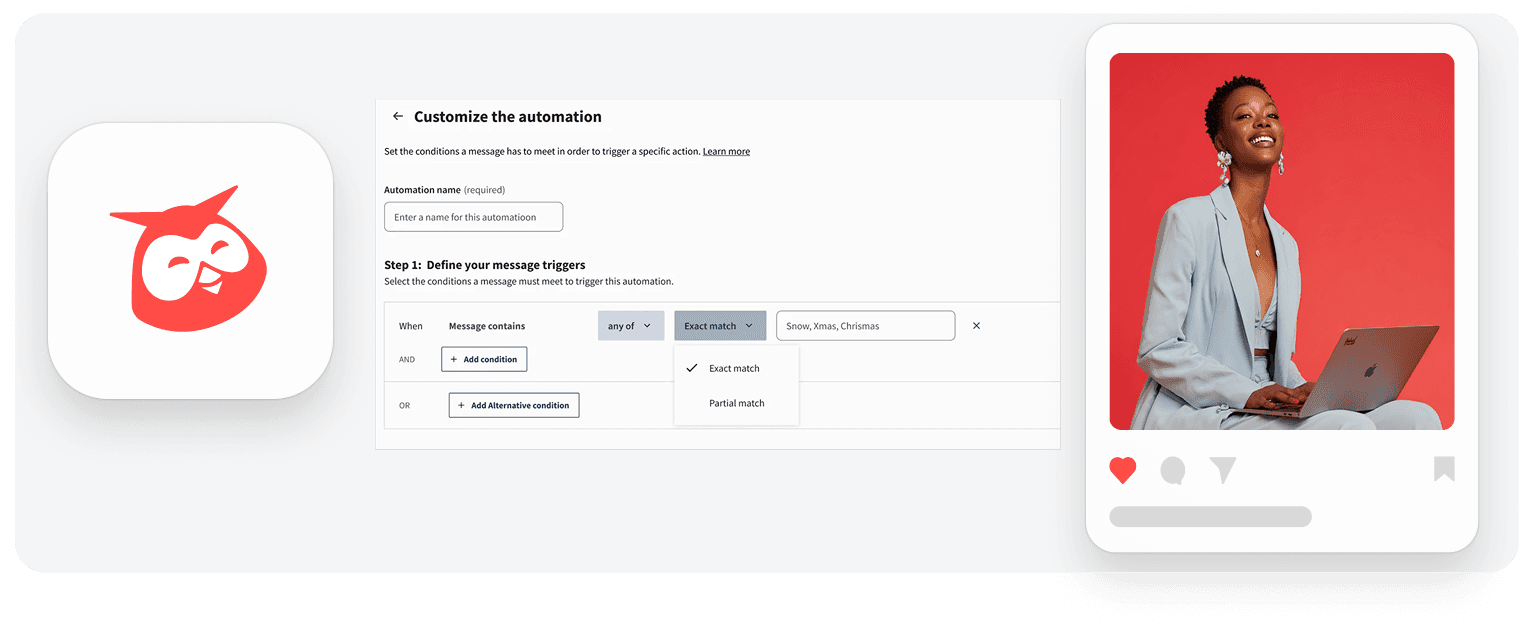
Partial Keyword Matching for Inbox automations
Previously, keyword automations only supported exact matching. With this update, partial matching allows automations to detect broader keyword variations. For example, the keyword “snow” can also match words like “snowflake.”

LLM Insights in Hootsuite
Now available in Hootsuite as an add-on, LLM Insights give you visibility into how your brand and your competitor’s brands appear across AI assistants like ChatGPT, Gemini, Claude, and Perplexity.
Interested in learning more with Hootsuite?
Request a demo